





Bartender: Career Skills and BarTender Software Explained
Bartender can mean two very different things in Canada: a hospitality professional serving guests in a licensed venue, or BarTender, software used to create labels, barcodes, RFID tags, and business documents. We need to separate those meanings early because the right next step depends entirely on what you are trying to solve.

Table of Contents
- What Does Bartender Mean?
- Bartending as a Hospitality Career
- BarTender Software for Labels and Operations
- Key Takeaways
- Frequently Asked Questions
- Sources
What Does Bartender Mean?
Start with the task, not the word
The simplest answer is this: a bartender is usually a person who prepares and serves beverages, while BarTender is a software product associated with label and document printing.
The spelling helps, but context matters more. A person searching for cocktail recipes, bar tools, customer service, responsible alcohol service, or job postings is almost certainly looking for the hospitality role. A business searching for barcode labels, printer licenses, database connections, RFID tags, or automated printing is likely looking for the software.
A useful way to sort the two meanings is to ask one question: Does the problem involve guests or printed information?
| If you need help with... | You probably mean... | Typical next step |
|---|---|---|
| Cocktails, spirits, garnishes, guest service, shifts | A bartender | Review the role, skills, and local job requirements |
| Drink menus, bar setup, staffing, event service | A bartender | Define the service model and responsible-service needs |
| Barcodes, serialized labels, RFID, product data | BarTender software | Map printers, data sources, and licensing needs |
| Spreadsheet-driven label printing or enterprise integrations | BarTender software | Confirm workflow and deployment requirements |
This distinction matters because the evidence behind each topic is different. Canadian bartender employment information is commonly available through public labour-market resources. Software pricing and licensing details often come from vendors, resellers, and product documentation, which can change more quickly.
Why the distinction matters for Canadian readers
For hospitality operators, a bartender can shape the pace, personality, and safety of a service period. The role is more than pouring beer or making a shaken cocktail. It involves managing orders, remembering preferences, handling payments, keeping a clean station, monitoring guest behaviour, and communicating with servers, kitchen teams, and managers.
For a manufacturer, warehouse, food producer, pharmacy, or retail operation, BarTender software solves a different problem: generating consistent printed output from reliable data. The concern may be whether a label pulls the right lot number, expiry date, ingredient information, customer address, or barcode value before it reaches a printer.
The names overlap. The decisions do not.
A practical routing guide
If you are deciding which topic applies, use these signals:
- Choose the hospitality path if your questions involve work shifts, mixology, customer interaction, tips, alcohol service, events, restaurants, pubs, or hotels.
- Choose the software path if your questions involve printers, label templates, data fields, databases, automation, compliance records, barcodes, RFID, or IT systems.
- Review both only if you run a hospitality business with a production or retail component. For example, a brewery may employ bartenders in its taproom while using label software for packaged products.
That last scenario is easy to miss. A single business can need skilled beverage service and carefully controlled label printing, but the staffing and technology decisions should still be evaluated separately.
Bartending as a Hospitality Career
What a bartender does during a shift
A bartender prepares and serves alcoholic and non-alcoholic drinks, but the day-to-day role is broader than the familiar image of a cocktail shaker and back bar. In a busy restaurant, pub, wedding venue, or event space, the bartender is often managing several moving parts at once.
Core work can include:
- Taking orders from guests and servers
- Preparing cocktails, beer, wine, coffee, mocktails, and neat or on-the-rocks spirits
- Measuring pours accurately and following house recipes
- Checking identification where required and applying responsible-service practices
- Processing payments and keeping the work area sanitary and stocked
- Preparing garnishes, ice, glassware, syrups, juices, bitters, and barware before service
- Communicating delays, substitutions, unavailable items, and guest concerns clearly
The strongest bartending is usually quiet and organized. A guest may only see a stirred Manhattan arrive at the right temperature with a clean garnish. Behind that result is mise en place: the right glassware, a measured pour, chilled ingredients, a working ice supply, a clean mixing glass, and attention to timing.
Skills that make bartending dependable
Bartending combines technical knowledge with service judgment. Knowing a classic cocktail build matters, but so does recognizing when a guest needs water, food, a slower pace, or a safe ride home.
| Skill area | What it looks like in practice | Why it matters |
|---|---|---|
| Mixology knowledge | Understanding spirit families, modifiers, bitters, dilution, shaking, stirring, and garnish choices | Supports consistency and confident recommendations |
| Speed and organization | Setting up tools, batching sensible prep work, and sequencing orders | Helps prevent long waits and avoidable mistakes |
| Communication | Confirming preferences, explaining options, and coordinating with the floor team | Reduces remakes and service friction |
| Numeracy | Handling measures, tabs, inventory counts, and cash procedures | Protects margins and supports accurate service |
| Responsible service | Assessing consumption, refusing service when necessary, and escalating concerns | Helps protect guests, staff, and the business |
We should avoid treating flair or memorization as the whole profession. A bartender who can make a dramatic drink but cannot maintain a clean station, accurately ring orders, or respond appropriately to intoxication is not meeting the full operational standard.
Responsible alcohol service is part of the craft
Responsible alcohol service is not an optional add-on to hospitality. It is part of how competent bartending works. The bartender has a direct role in deciding whether service should continue, slow down, change to non-alcoholic options, or stop.
Warning signs can be situational rather than absolute. Slurred speech, impaired balance, aggressive behaviour, repeated rapid ordering, or attempts to buy drinks for someone visibly impaired may require intervention. A responsible response should be calm, direct, and consistent with the venue’s policies.
A practical approach often follows this sequence:
- Pause service before the situation escalates.
- Speak respectfully and avoid public confrontation where possible.
- Offer water, food, or a non-alcoholic option when appropriate.
- Involve a manager, security professional, or another trained team member if needed.
- Help arrange a safer departure option when the venue’s procedures call for it.
The exact legal and certification requirements vary by province and territory. Anyone seeking work or managing a licensed establishment should verify the current rules that apply locally rather than assuming one province’s training or service rules apply across Canada.
A well-made cocktail is a hospitality detail. A safe decision is a duty.
Finding bartender work and comparing opportunities
Canadian job seekers can use official occupation resources as a starting point, then compare individual postings carefully. In the supplied Job Bank result, the national bartender jobs listing showed 160 openings. That number is a snapshot, not a guarantee of availability in every city or region.
When comparing postings, look beyond the headline hourly rate. A position at a restaurant, hotel, private club, wedding venue, casino, resort, or event company can differ substantially in schedule, service volume, side work, tip structure, product knowledge expectations, and seasonal stability.
Questions worth asking include:
- Is the role primarily bar service, table service, banquet work, or a combination?
- Are shifts late-night, daytime, seasonal, weekend-heavy, or event-based?
- What responsible-service training does the employer require?
- How are tips handled, if applicable?
- Does the venue expect knowledge of classic cocktails, wine, draft systems, coffee, or high-volume service?
- What opening, closing, cleaning, inventory, and prep duties are included?
Pay should also be interpreted carefully. Posted wages can vary by region, venue type, experience, tips, and employment arrangement. A rate that looks attractive may come with inconsistent hours, while a lower base rate in a high-volume venue may have a different overall compensation picture. We should compare the complete role, not only one number in an ad.
BarTender Software for Labels and Operations
What BarTender software is designed to do
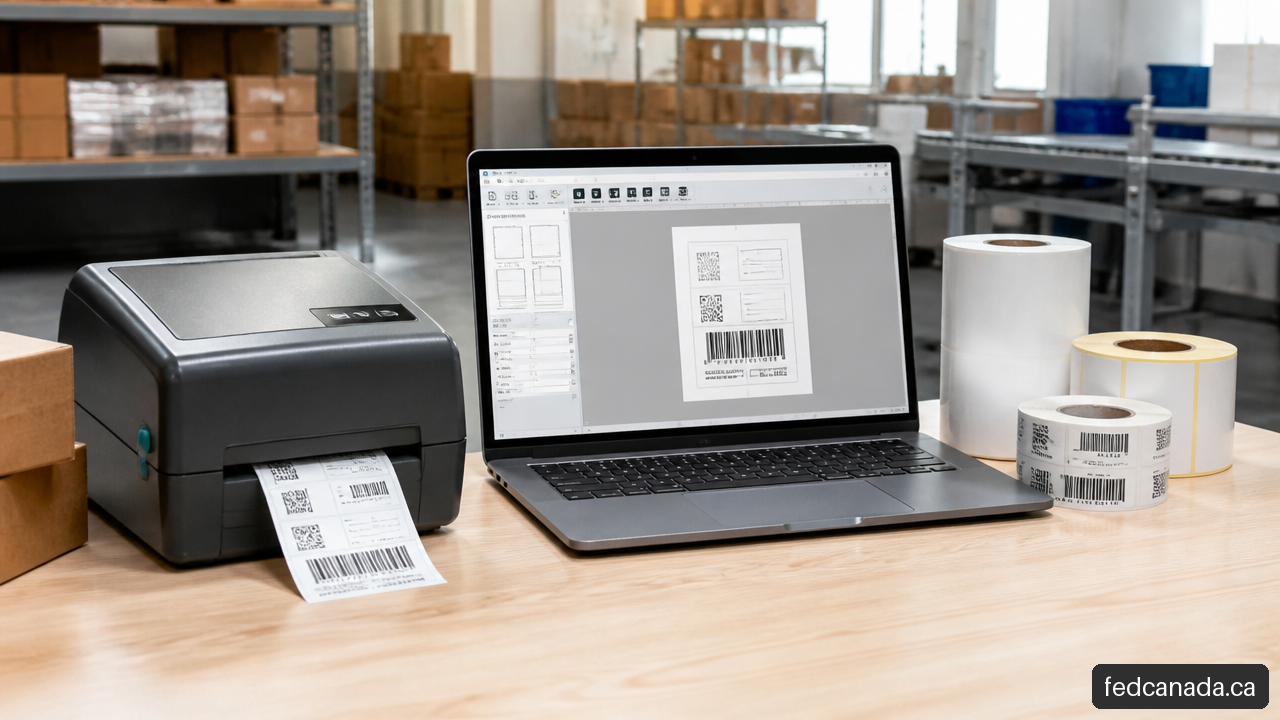
BarTender is software associated with creating and printing business documents such as labels, barcodes, RFID tags, and related printed materials. Its value is not simply in drawing a label layout. The more meaningful capability is connecting a template to changing information so that the right data appears in the right place, in a repeatable format.
Consider a food producer printing product labels. The base design may stay consistent, but each production run can require different values for flavour, lot code, date, package size, barcode, and customer information. Without a controlled workflow, those fields can be manually typed or copied, increasing the chance of a wrong label reaching the wrong product.
A label-management workflow commonly involves:
- Creating a controlled template with fixed design elements.
- Defining variable fields such as product name, date, lot number, or barcode.
- Connecting those fields to a spreadsheet, database, or business system where appropriate.
- Selecting the approved printer and print quantity.
- Reviewing output and retaining records when the operation requires them.
The technology can reduce repetitive data entry, but it does not automatically fix inaccurate source data. If an inventory system contains the wrong expiry date, automated printing can reproduce that error very efficiently. Data governance still matters.
Professional and Automation: choose by workflow
The right BarTender edition depends on the operating model, not just the number of labels printed. A small operation printing labels from one computer may have a different need from a multi-site company that must trigger print jobs from a database or enterprise system.
DuraFast Label describes BarTender Professional workstation licensing with unlimited printers as one available configuration. That can be relevant when one workstation is the practical control point for multiple printers.
The same reseller describes BarTender Automation subscription terms of one, three, or five years. Longer terms may offer planning advantages for an established workflow, but they can be a poor fit if the business is still changing locations, printers, data systems, or production processes.
| Requirement | A simpler Professional-style fit may suit when... | Automation may suit when... |
|---|---|---|
| Printing method | A person starts print jobs from a defined workstation | Print jobs need to be initiated by systems or repeatable rules |
| Data source | Data is reviewed and selected manually before printing | Data must flow regularly from databases or enterprise tools |
| Operational scale | One controlled location or a limited process is involved | Multiple processes, higher volume, or system-led output is needed |
| Change tolerance | The workflow is stable but hands-on | The operation needs repeatability with less manual intervention |
This is not a substitute for current licensing advice. Product packaging, editions, support terms, and feature entitlements can change. Before buying, confirm the specific edition, deployment model, and printer scope in writing.
Calculate total cost, not just the displayed price
A software price can look straightforward until the full deployment is considered. The purchase decision should account for what the operation needs over the useful life of the workflow, not only the first monthly or annual figure.
A practical total-cost model is:
Total cost = software license or subscription + printer capacity + maintenance/support + implementation time + data preparation + hardware changes + renewal exposure
That formula is especially useful because software costs are not always caused by the software alone. A deployment may require new thermal printers, label stock testing, data cleanup, template approvals, staff training, or IT support.
For example, a small bakery printing ingredient and date labels from one workstation may prioritize simple template control and a manageable printer setup. A distributor printing serialized shipping labels from several locations may need a broader conversation about printer counts, remote access, database connectivity, print triggers, support, and how failed print jobs are handled.
Fair warning: a low initial price can become expensive if the selected license does not match the actual number of printers or workstations. Conversely, buying an advanced automated setup for a process that changes daily and is still mostly manual can add complexity without solving the immediate issue.
Validate a deployment before purchasing
Before selecting a BarTender license, we can make the decision more reliable by documenting the workflow in plain language. The goal is to replace assumptions with measurable requirements.
Use this pre-purchase checklist:
- Count physical printers that may be used now and during the expected term.
- Identify whether printing occurs from one workstation, multiple workstations, or centrally managed systems.
- List every data source: spreadsheets, databases, inventory software, ERP tools, or manually entered fields.
- Specify whether staff manually initiate each print job or whether systems must trigger printing automatically.
- Define what happens when a printer is offline, a label jams, or source data is missing.
- Confirm who owns template changes, approvals, user access, and version control.
- Ask how maintenance, support, renewal pricing, and term changes are handled.
- Validate any industry-specific label obligation with the relevant regulator, customer, or compliance professional.
The last point deserves emphasis. Software capability claims are not the same as independent confirmation that a particular label satisfies a Canadian regulatory requirement. A barcode can scan perfectly and still be wrong for the product if required text, date format, bilingual content, allergen declaration, or customer specification is missing. Compliance must be checked against the actual product and applicable rules.
Key Takeaways
The decision in one view
- Bartender usually means a hospitality worker who prepares drinks, serves guests, and supports safe, orderly service.
- BarTender refers to label and document-printing software, commonly considered for barcode, RFID, database, and printing workflows.
- A hospitality career requires more than cocktail knowledge. Service judgment, organization, sanitation, and responsible alcohol service are central to the job.
- A software purchase should begin with workflow requirements: printers, users, data sources, automation needs, support, and likely future changes.
- Public job listings can provide a useful employment snapshot, while commercial software pricing and licensing should be confirmed at the time of purchase.
The practical next move
If your goal is employment or staffing, focus on the bartender role: venue type, local service requirements, technical beverage skills, and realistic job expectations. If your goal is printing labels, start with a simple diagram of where data originates, who approves it, which printers produce it, and what happens when something fails.
That is the difference between choosing based on a familiar word and choosing based on the work that must actually get done.
Frequently Asked Questions
What does bartender mean in Canada?
In Canada, bartender commonly means a hospitality worker who prepares and serves beverages in licensed venues such as restaurants, bars, hotels, private clubs, banquet facilities, and event settings. In business technology, BarTender can also refer to label and document-printing software. Context determines the intended meaning.
Is BarTender a job or a software product?
It can refer to either, depending on capitalization and context. A bartender is a person working in hospitality. BarTender is software used for label, barcode, RFID, and document workflows. Questions about cocktails and service indicate the job; questions about printers and data connections indicate the software.
What skills are needed to become a bartender?
Useful skills include drink preparation, product knowledge, accurate measuring, cleanliness, multitasking, payment handling, guest communication, and responsible alcohol service. A bartender should know when a cocktail is shaken or stirred, but should also know how to manage a crowded station safely and professionally.
Where can bartenders work?
Bartenders may work in restaurants, bars, pubs, hotels, resorts, private clubs, wedding venues, banquet halls, catering operations, event spaces, and other licensed establishments. The role can differ sharply between a quiet hotel lounge, a high-volume pub, and a seasonal event venue.
How should I compare bartender job postings?
Compare more than the advertised wage. Review expected schedule, venue type, alcohol-service certification requirements, tip practices, side duties, training, product expectations, seasonal patterns, and whether the role combines serving, barback, cashier, or event duties.
What is the difference between BarTender Professional and Automation?
The practical difference is usually the workflow. A Professional-style setup may fit a controlled, hands-on printing process, while Automation may fit operations that need more system-driven or repeatable printing. Confirm current features and licensing terms with the seller before purchasing because product offerings can change.
How do BarTender licenses affect total cost?
License scope can affect cost through application access, workstation use, printer counts, subscription length, maintenance, and support. Budget for implementation work and hardware as well. The lowest displayed software price may not cover the actual workflow you need.
Does BarTender software guarantee regulatory label compliance?
No software purchase alone guarantees that a specific label meets a Canadian regulatory or customer requirement. The template, source data, print process, and final label content must be validated for the product, market, and applicable rules.
Sources
- jobbank.gc.ca: https://www.jobbank.gc.ca/marketreport/jobs/16455/ca
- durafastlabel.ca: https://www.durafastlabel.ca/bartender-professional-edition/
- durafastlabel.ca: https://www.durafastlabel.ca/bartender-automation-edition/
Recent Posts


Leave a Comment
Your email address will not be published. Required fields are marked *